communityhubHeader communityhubHeader
Regiments

Want to be part a community of like-minded gamers, have an easy way to find tankers to platoon with, and even be able to purchase seasonally exclusive items with a special currency?

Then joining a Regiment is the way to go!

A Regiment is an ongoing association of tankers, similar to a guild or other registered and organized group of gamers. The Regiments system is an evolution of the Clan system that previously existed in World of Tanks Modern Armor; unlike Clans, Regiments are managed inside the game, with one temporary exception:

  • The ability to rename your Regiment or choose a new tag must be done on the World of Tanks Modern Armor portal. After you change the name or tag, you must wait seven days before you can change either one again. Name and tag changes are free. This function is expected to move into the game as development work continues.

But camaraderie and convenience aren’t all that the Regiments system offers. Read on to learn about how Regiments work!

Creating and Joining Regiments

To get started with a Regiment, head to the “Regiment” tab in the game.

If you’re not in a Regiment, you’ll be shown options for either creating or joining one.

Head to the “Create” screen if you’re ready to be the Commander of your own outfit. On this screen, you’ll be able to set your Regiment up by entering some basic info:

  • Regiment Name: 2-25 characters (note: special characters are not supported)
  • Regiment Tag: 2-5 characters (note: special characters are not supported)
  • Motto (optional!): 2-100 characters
  • Join Settings:
    • Application: Anyone can apply.
    • Invite only: Only people you send an invite to can join.

Note: A third Join option will be available when accessing Regiments here on the World of Tanks Modern Armor portal. On the portal, you can also choose to have your Regiment "Automatically accept all applications."

Creating a Regiment costs 850 Gold.

Regiments - Create Regiment

On the “Join” screen, you’ll be able to search for Regiments by name. You’ll also see a list of Regiments that are currently recruiting new members. If you’ve received invitations from other players to join their Regiments, you’ll see those on this screen as well.

For each Regiment that appears in the search results, clicking on its name will give you two options:

Inspect Regiment Apply
  • This will open up additional details for the Regiment.
  • You can apply from this screen by pressing the Apply button.
  • This will file an application.
  • Applications last for seven days; after that, they’ll expire.
Regiments - Join Regiment

No matter how you apply, you will see your applications on the “Join” tab, along with the expiration date.

Other important points to keep in mind, whether you’re creating or joining a Regiment:

  • You can send out a maximum of six applications to different Regiments at once. Trying to send more will give an error. You can cancel any applications you send out.
  • You can also receive a maximum of six invites from different Regiments. A Regiment inviting a player at the maximum number of invites will receive an error.
  • Regiments can send out up to fifteen invites at once. Trying to send more invites will give an error.
  • Regiments can receive up to fifteen applications at once. Players applying to a Regiment at the maximum number of applicants will receive an error.

Got all that? Then congratulations—you’re ready to be part of something bigger!

Regiment Membership

A Regiment can have up to 100 members. Currently there are eight roles available to members:

Icon Regiment Rank
Regiments - Commander Icon

Commander

  • Can access the Headquarters and Manage tabs.
  • Maximum of 1 Commander per Regiment.
  • Can disband the Regiment.
Regiments - Executive Officer Icon

Executive Officer

  • Can access the Headquarters and Manage tabs.
  • Can invite, approve, and deny applications.
  • Can promote Privates to Recruitment Officers or demote Recruitment Officers to Privates.
  • Can edit the Regiment Motto.
  • Maximum of 2 Executive Officers per Regiment.
Regiments - Recruitment Officer Icon

Recruitment Officer

  • Can access the Headquarters and Manage tabs.
  • Can invite, approve, and deny applications.
  • Maximum of 3 Recruitment Officers per Regiment.
Regiments - Staff Sergeant Icon

Staff Sergeant

  • Can access the Headquarters Tab.
  • No privileges.
Regiments - Sergeant Icon

Sergeant

  • Can access the Headquarters Tab.
  • No privileges.
Regiments - Corporal Icon

Corporal

  • Can access the Headquarters Tab.
  • No privileges.
Regiments - Private First Class Icon

Private First Class

  • Can access the Headquarters Tab.
  • No privileges.
Regiments - Private Icon

Private

  • Can access the Headquarters Tab.
  • No privileges.

Headquarters Tab

Once you’re in a Regiment, the “Regiments” tab will look quite a bit different.

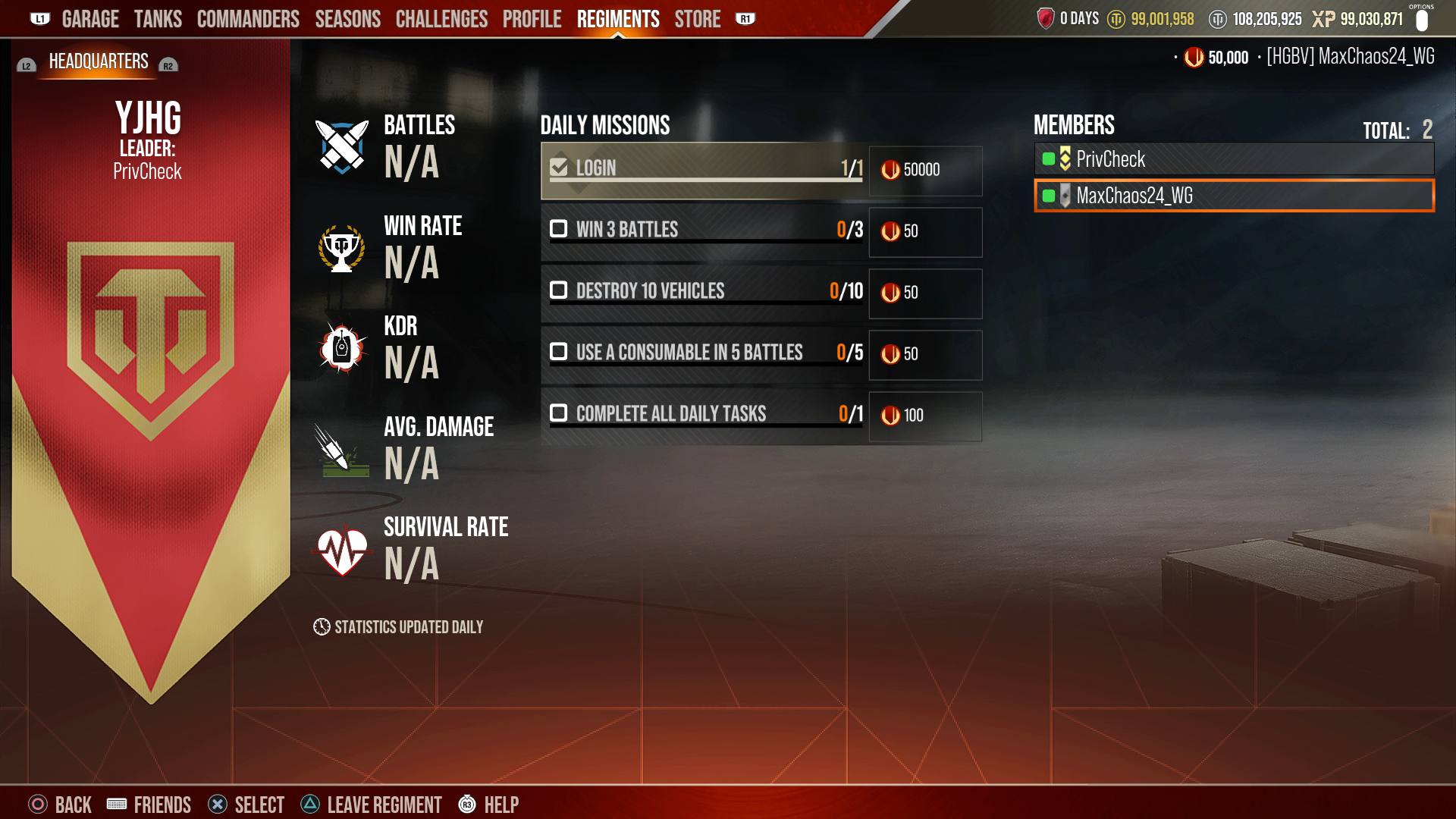
Your new home base will be the Headquarters Tab. This is where you can see your Regiment's Stats, Daily Missions, and Member List. Regiment stats on this tab are updated once daily.

Regiments - Headquarters Tab

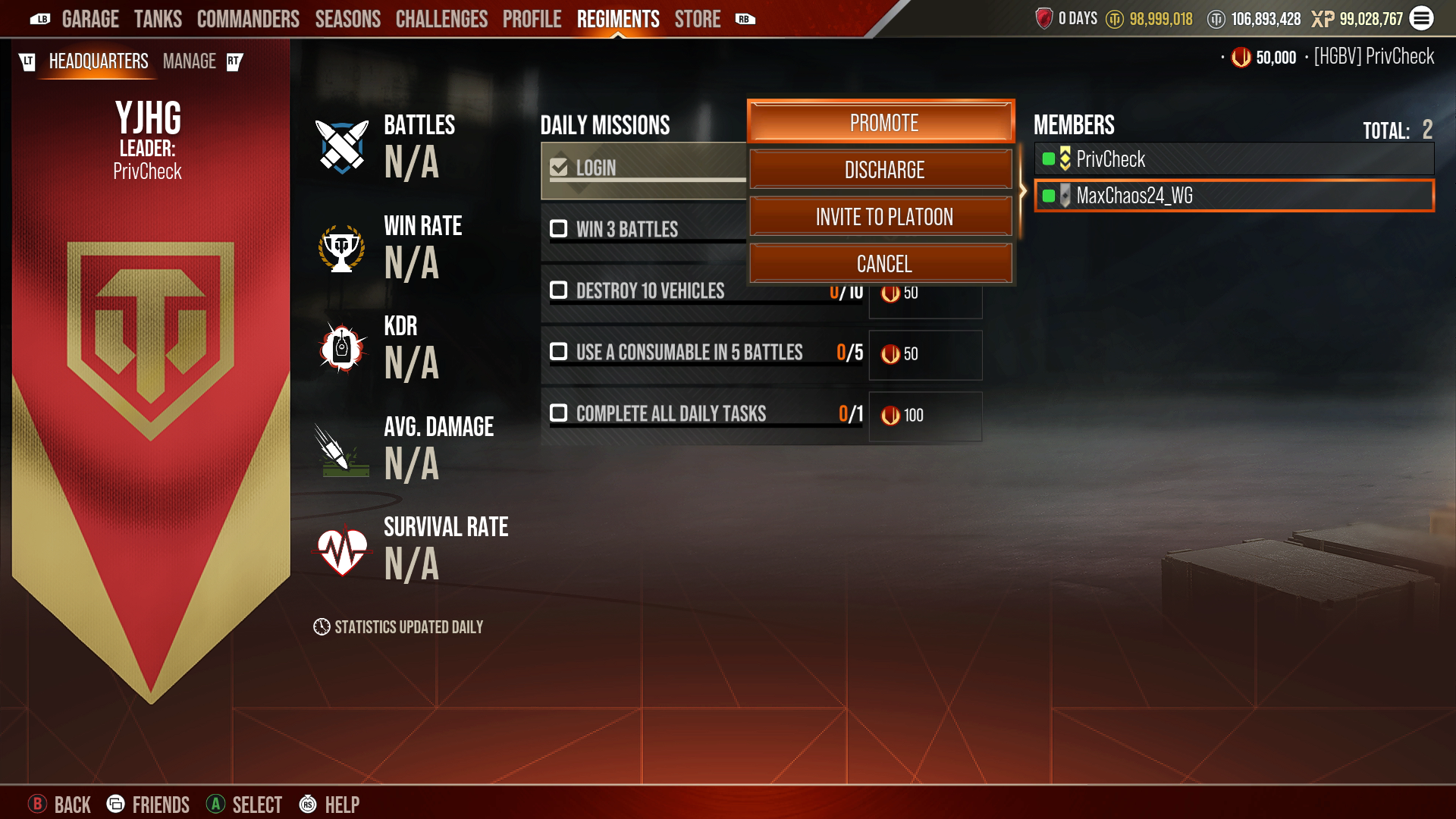
The Member List will display all members, their Regiment rank, and their online status (green = online, red = offline). Online members will be displayed first, from highest rank to lowest. Offline members will be displayed below online members, again from highest rank to lowest.

From this list, you can select members and be shown possible actions, with the options varying according to your Regiment rank. One of the most useful options is Invite to Platoon. To send a Platoon invite, select a member who is online, select “Invite to Platoon,” and prepare to head into battle alongside a friend!

Regiments - Member List

Manage Tab

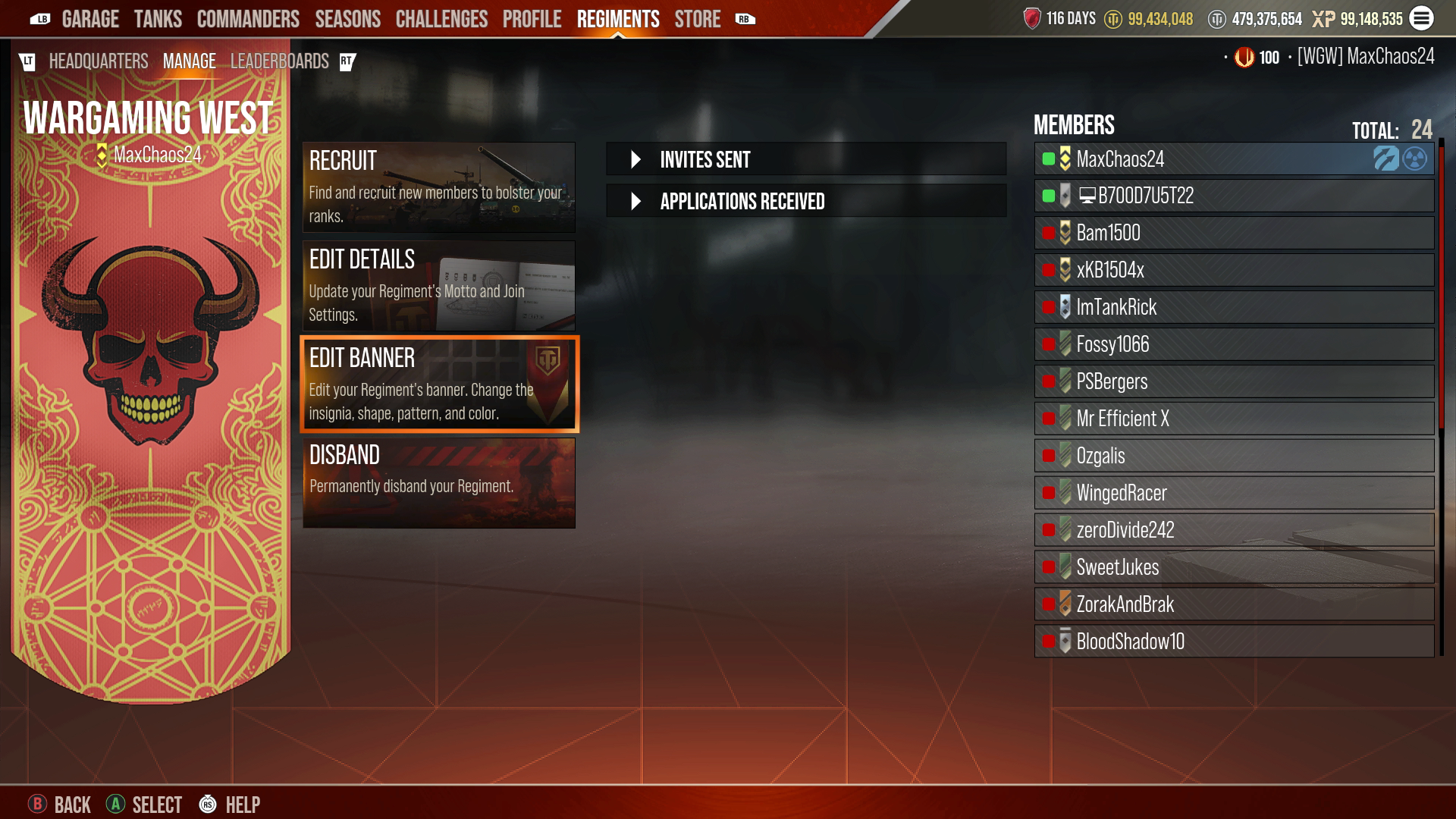
Members at the rank of Recruitment Officer and above will have access to the Manage Tab. Here’s where you can recruit new members, edit the Regiment’s details, disband the Regiment, send and accept applications, and manage members. The options available to you will vary depending on your rank and privileges.

Recruit
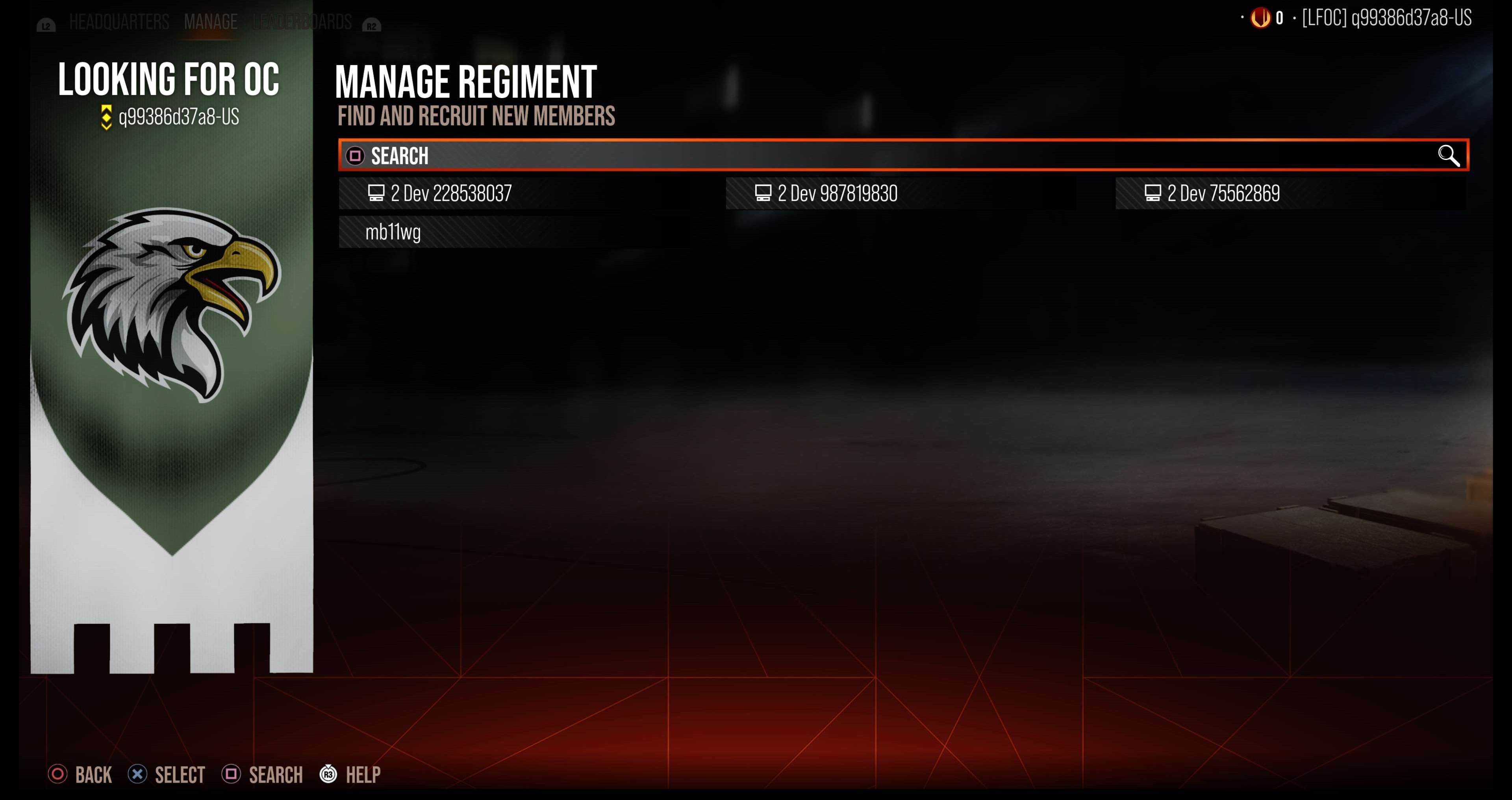
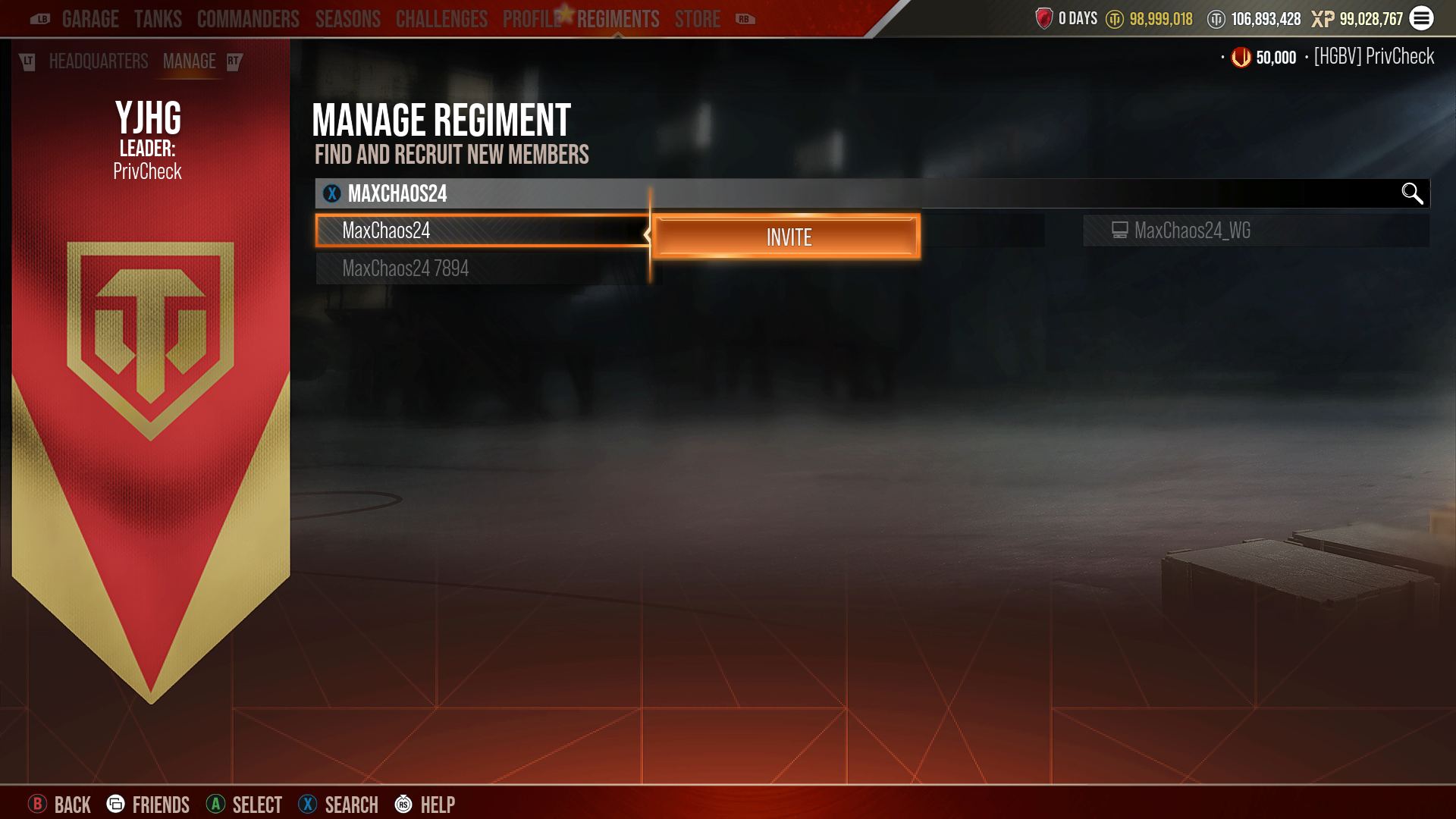
  • This is where you can type a player’s name and search for them.
  • Selecting the account will open the Invite option.
Edit Details
  • This is where you can edit the Regiment’s Motto or change its Join status (Application or Invite Only).
Disband
  • This option will disband the Regiment and cannot be undone.
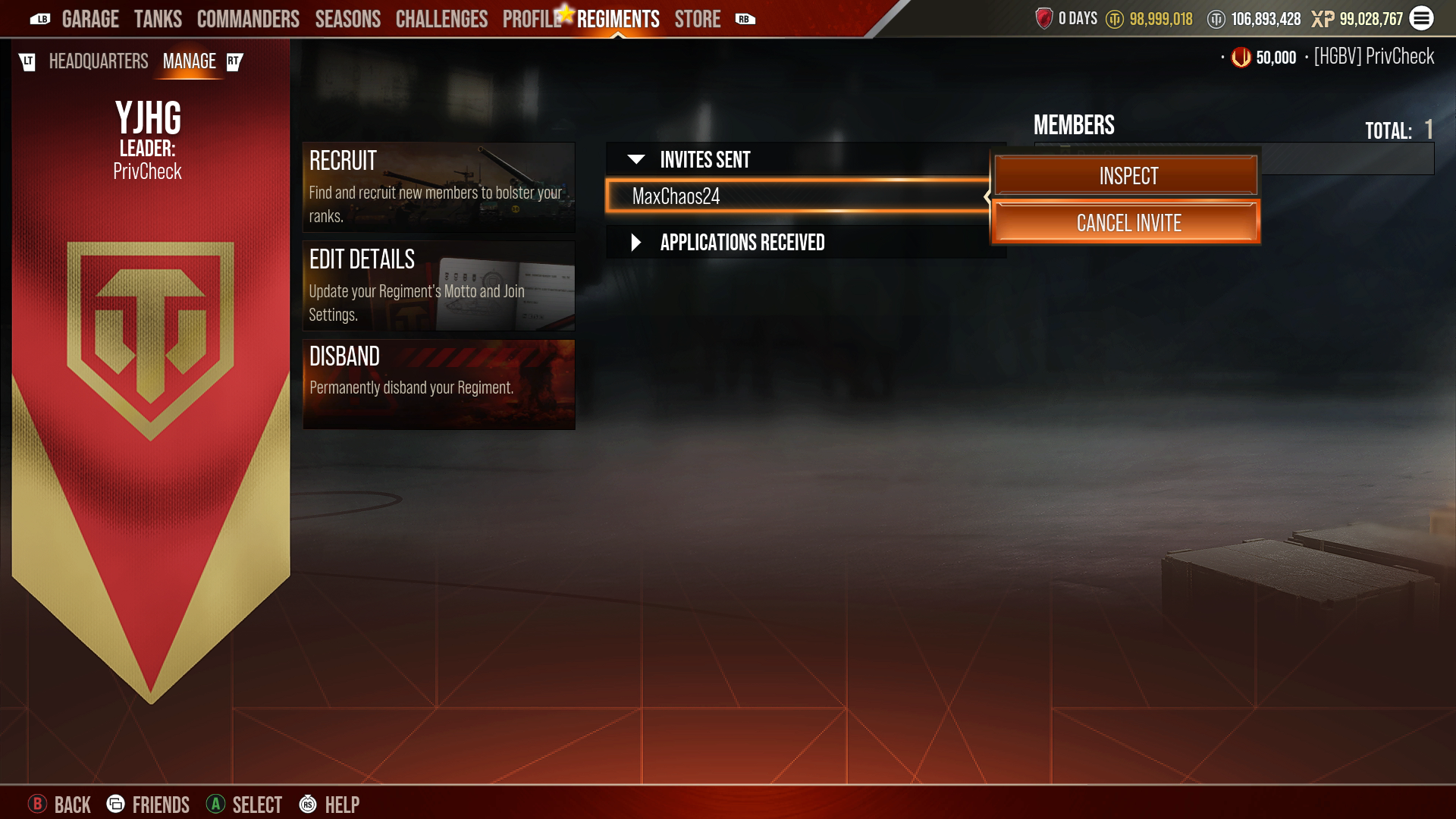
Invites Sent
  • This will display any invites that have been sent to players.
  • Clicking on the invite will give the option to Inspect the player or Cancel the invite
  • Each Regiment can have a maximum of fifteen invites active at a given time.
Applications Received
  • This will display any applications sent to your Regiment.
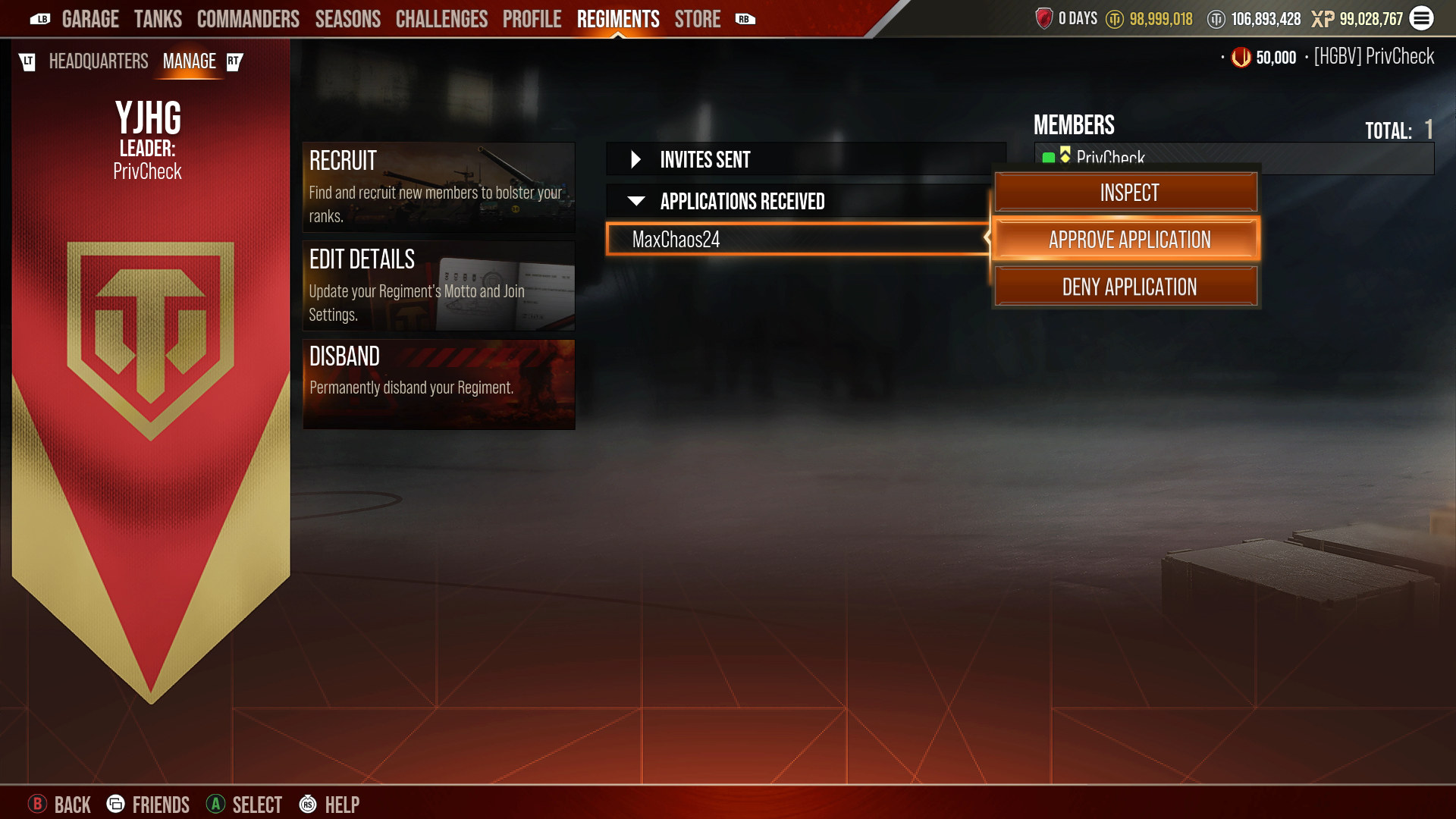
  • Clicking on the application will give the option to Inspect the player, Approve, or Deny the application.
Members List
  • You can click on members of your Regiment to Promote, Demote, or Discharge them.
  • The options you have will vary based on your rank.
Edit Banner
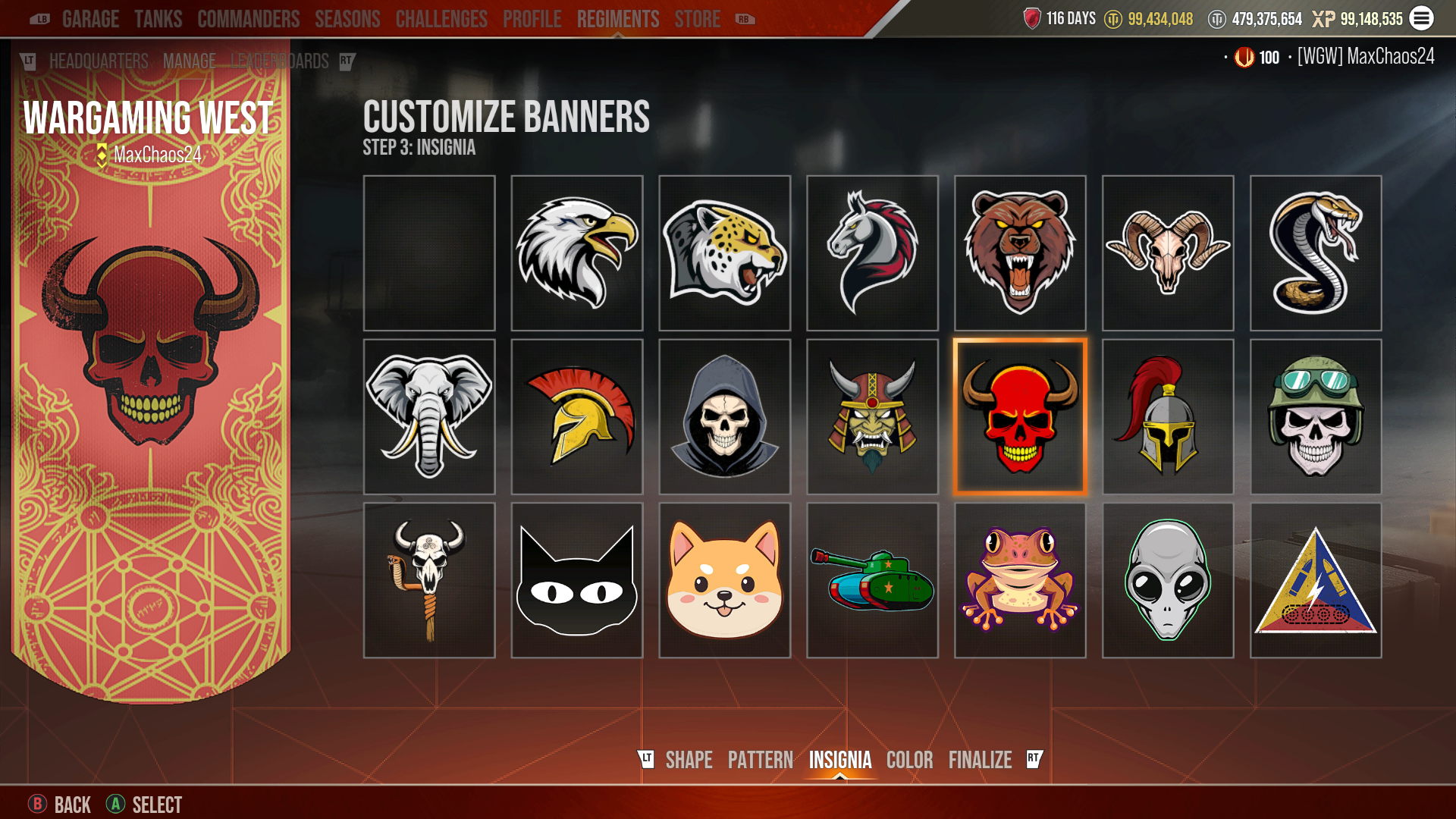
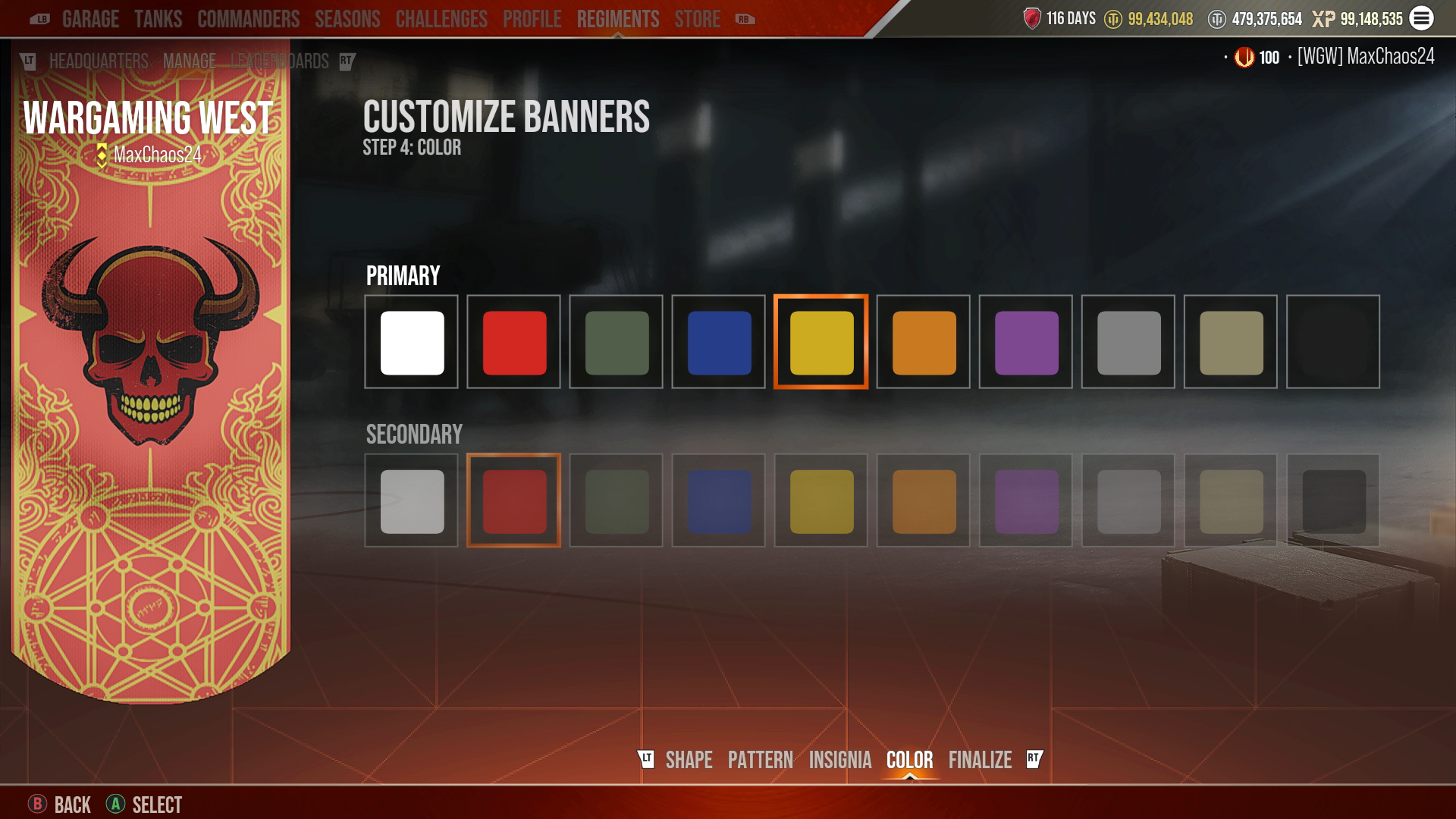
  • Edit your Regiment’s banner. Change the insignia, shape, pattern, and color.

For a closer look at a few of these options, see the labeled images below:

Regiments - Manage Tab Recruit Search
Regiments - Recruit Screen Invite Function
Regiments - Manage Tab Invite Sent
Regiments - Manage Tab Applications Received
web animation

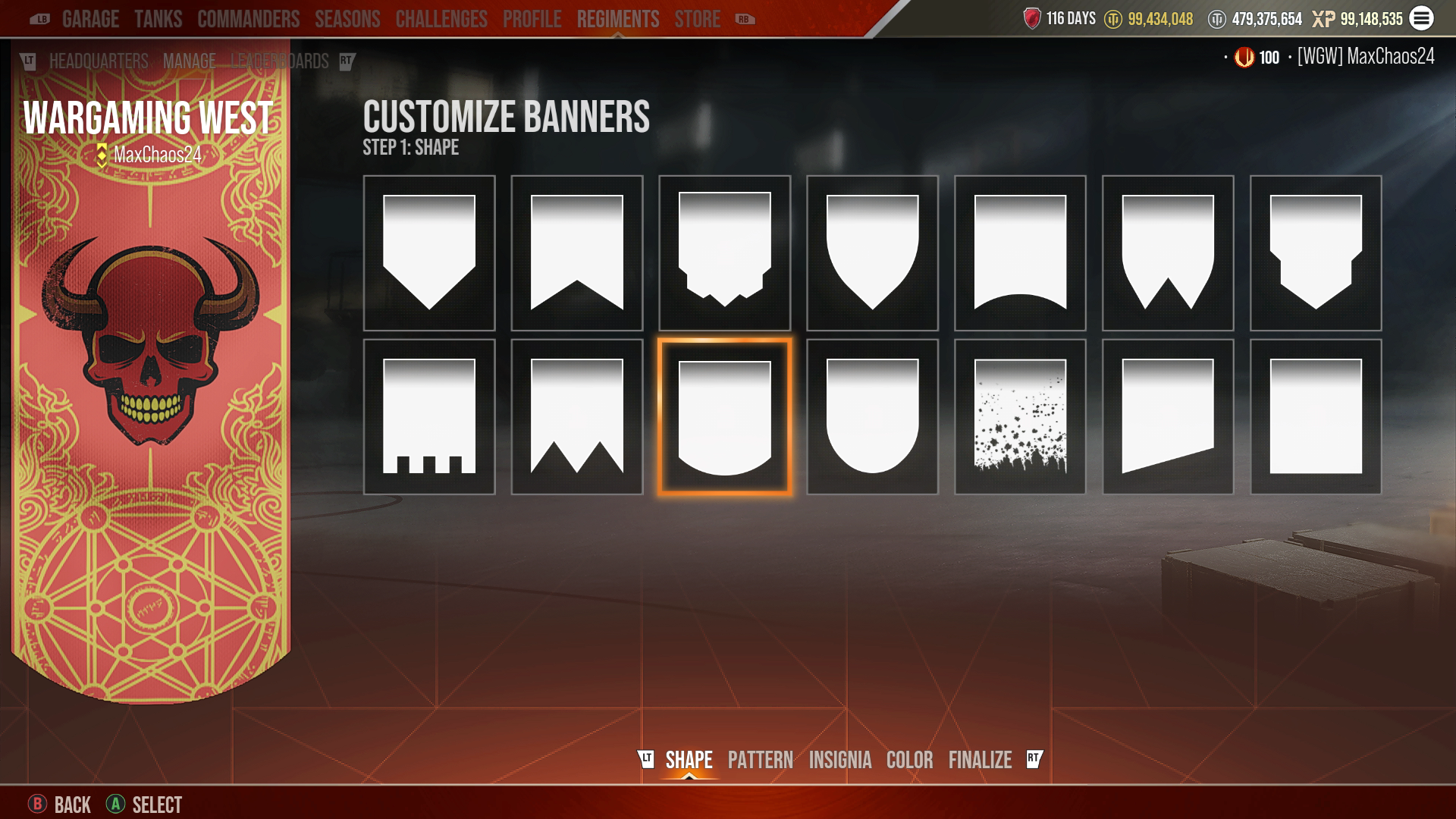
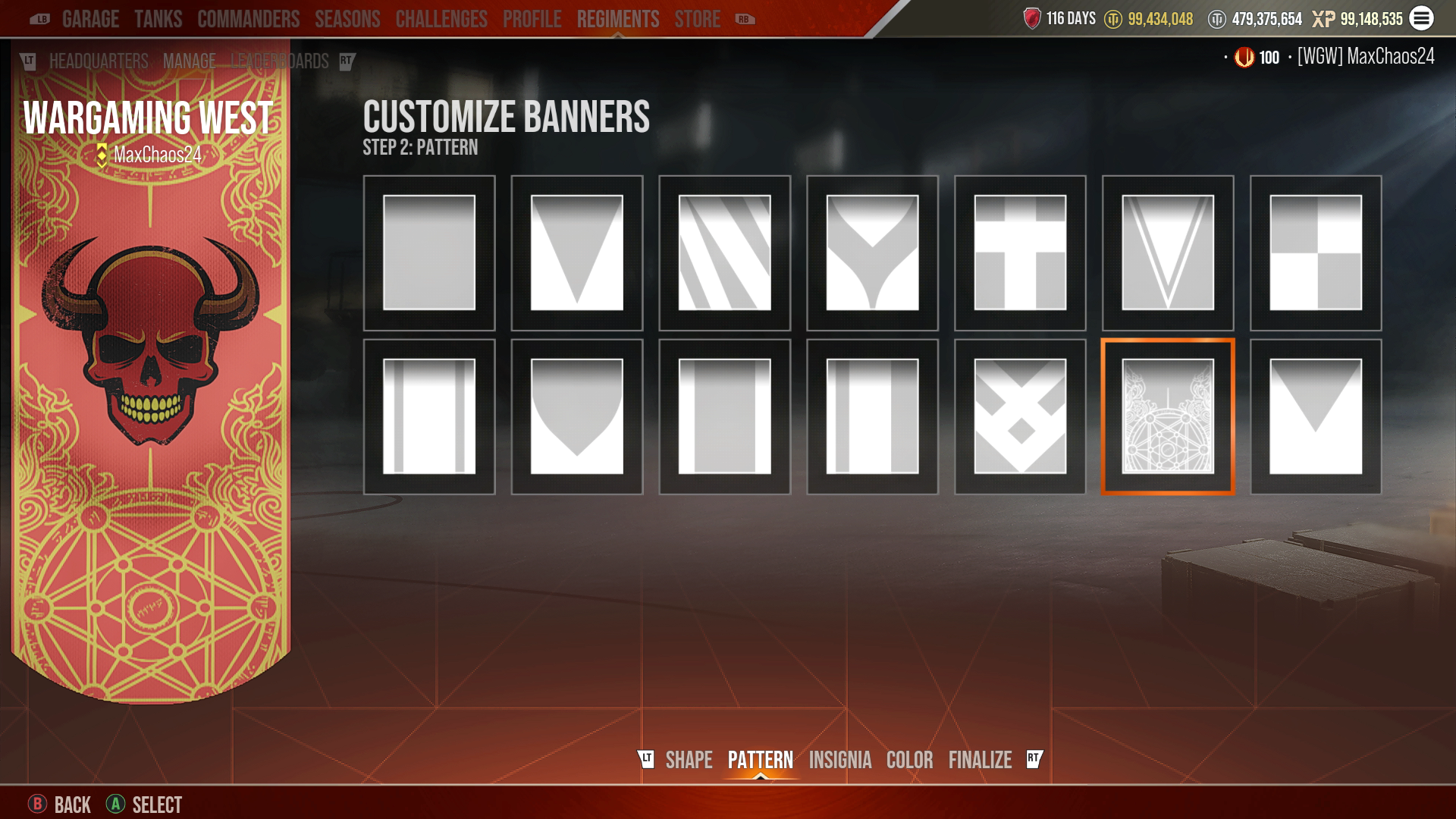
Regiments can also create a Banner within the Manage Tab. You'll be able to select a Shape, Pattern, Insignia, and Color.

Regiments Banners 1
Regiments Banners 2
Regiments Banners 5
Regiments Banners 3
Regiments Banners 4
web animation

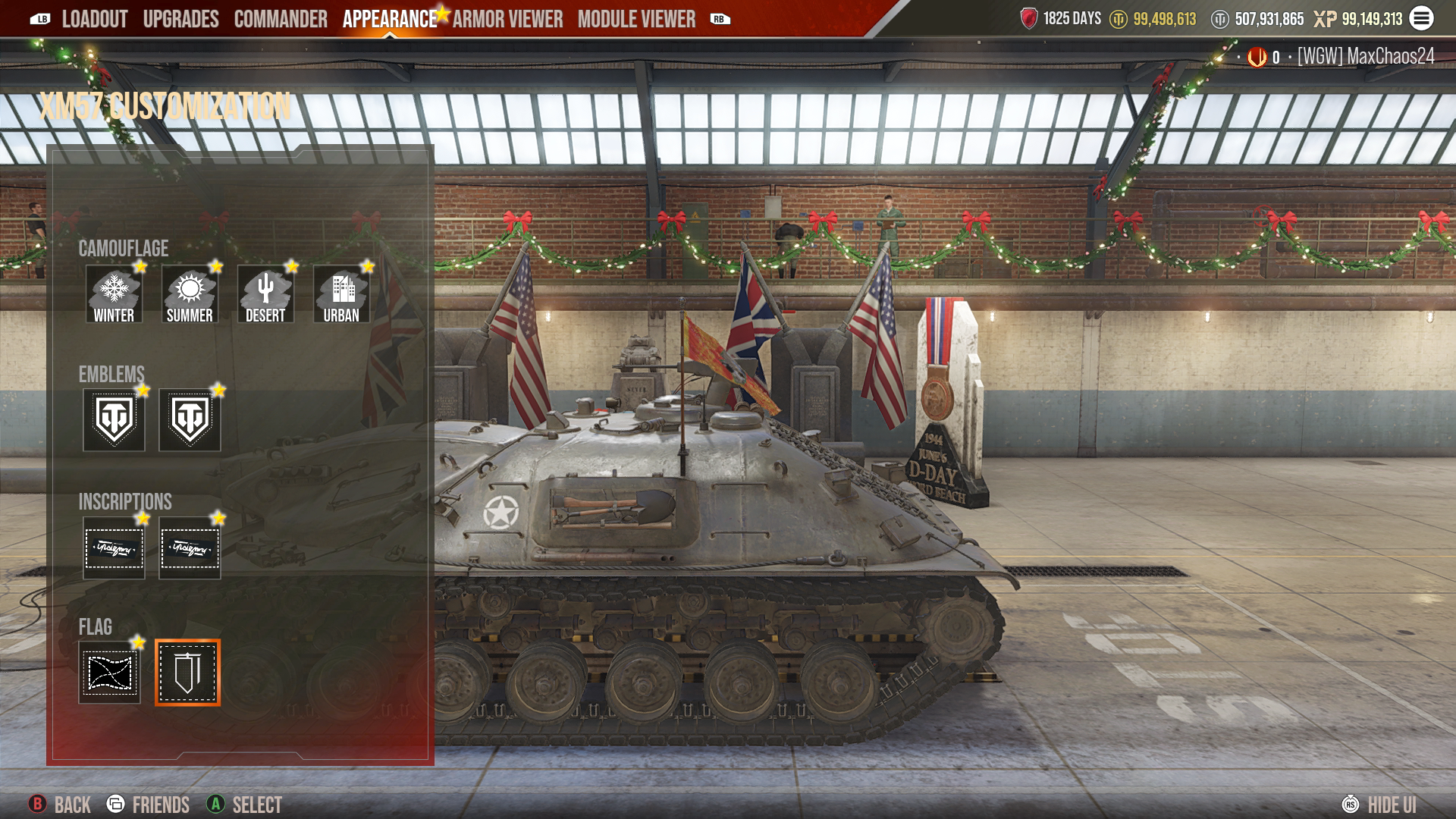
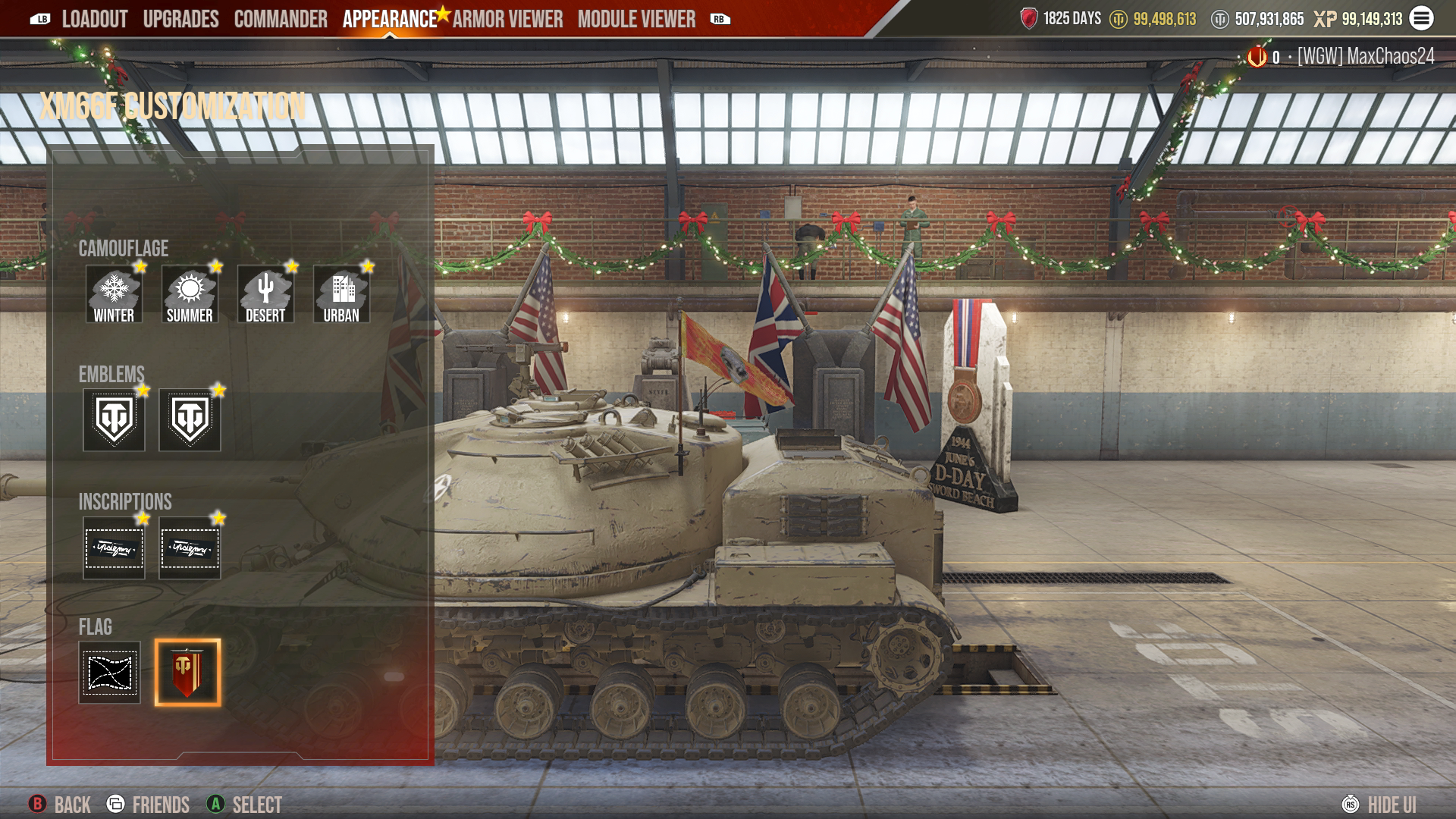
Regimental Banners can be mounted as a Flag for your vehicle.

  • Within the Flag section in a tank’s customization reel, you now have two Flag options: the normal Flag or the Regiment Flag.
  • You can have only one Flag on your vehicle.
  • Mounting the Regiment Flag is free.
Regimental Flag 1 - UPDATED
Regimental Flag 2 - UPDATED
web animation

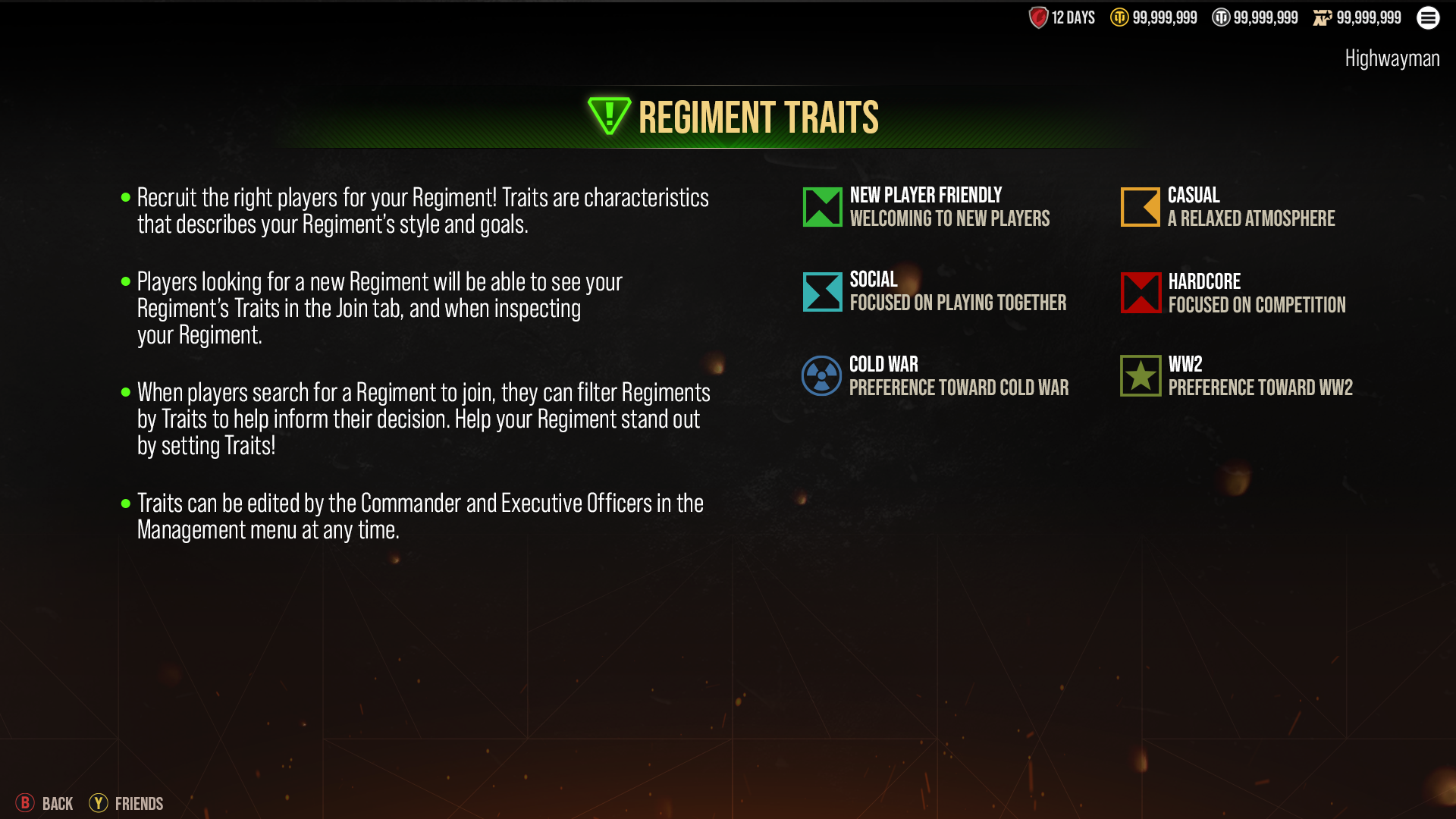
Regiments can also add Traits that describe the Regiment. For existing Regiments, settings will default to having all Traits selected. To adjust your Regiment’s Traits, go to the Regiment Tab -> Manage Tab -> Edit Details.

Regiment Traits Help Mockup

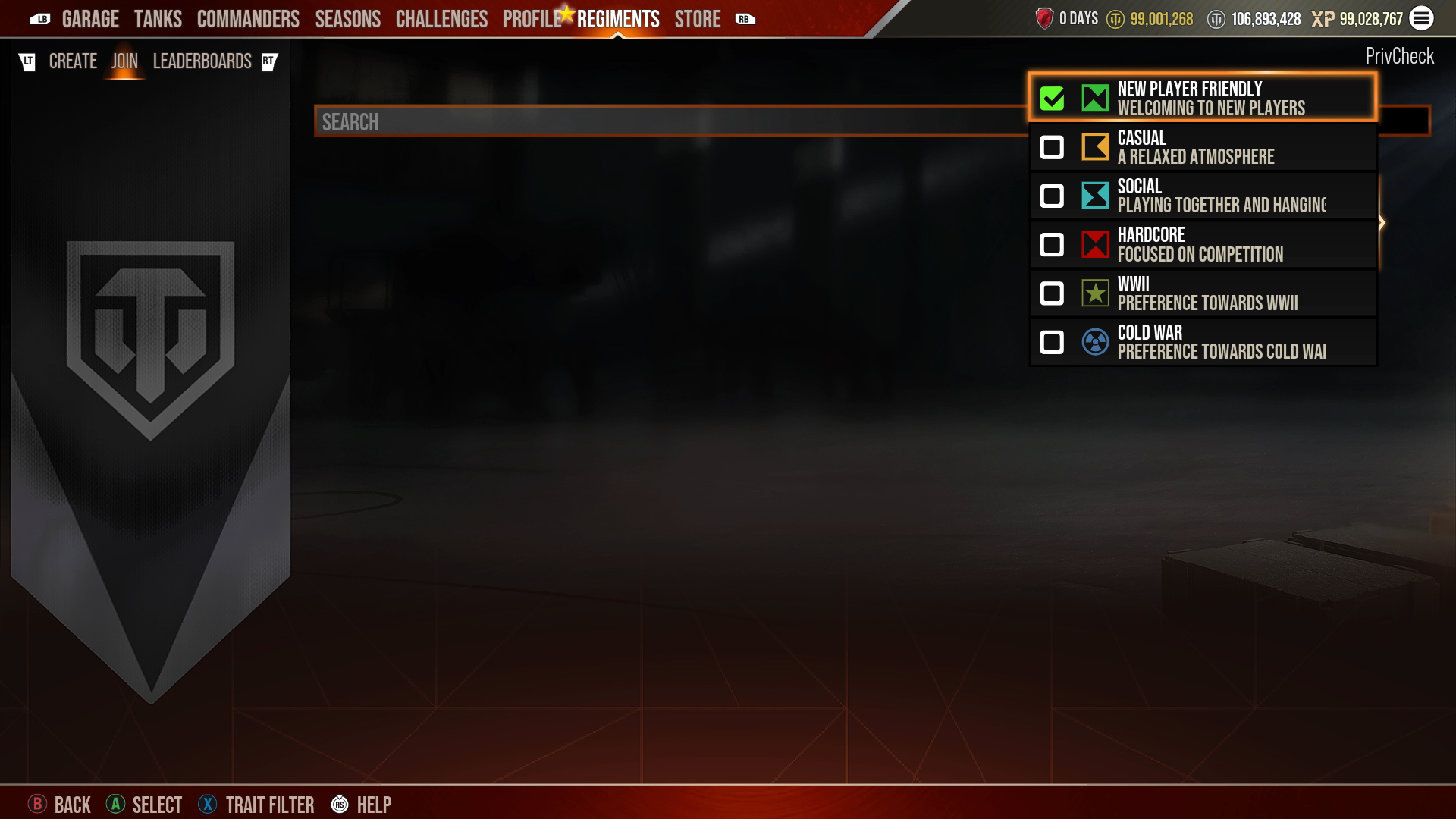
When you are searching for a Regiment to join, you can open a “Traits” filter to help you find the type of Regiment you are looking for.

Regiments Traits Search

Leaderboards Tab

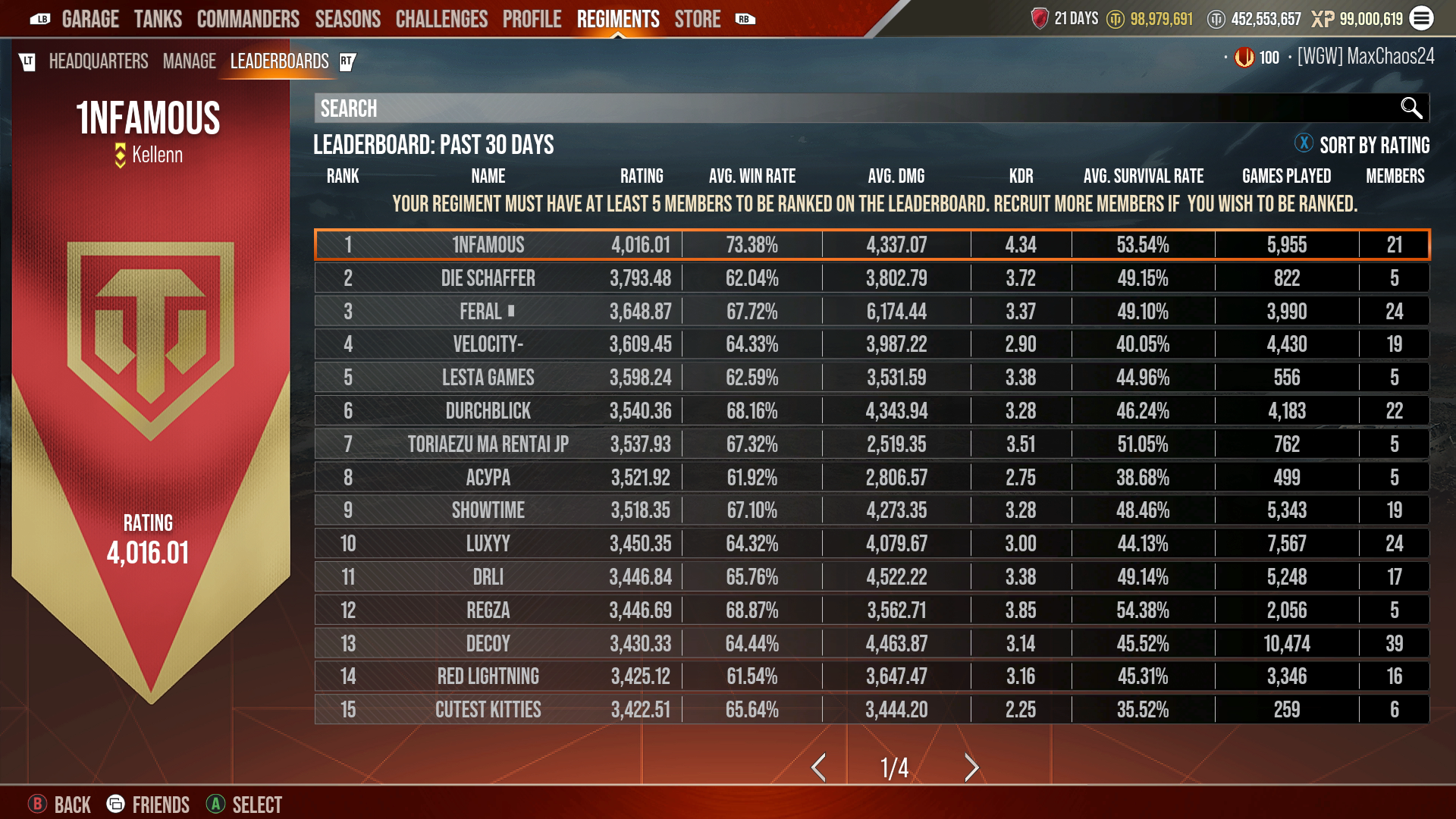
A third section of the “Regiments” tab that will be available to you is the Leaderboards Tab. This is where you can compare Regiments’ stats to find out exactly who’s the best of the best.

  • The Leaderboard will display the top 50 Regiments and the four Regiments above and below the player's Regiment.
  • Regiments must have at least five members to be ranked on the Leaderboard.
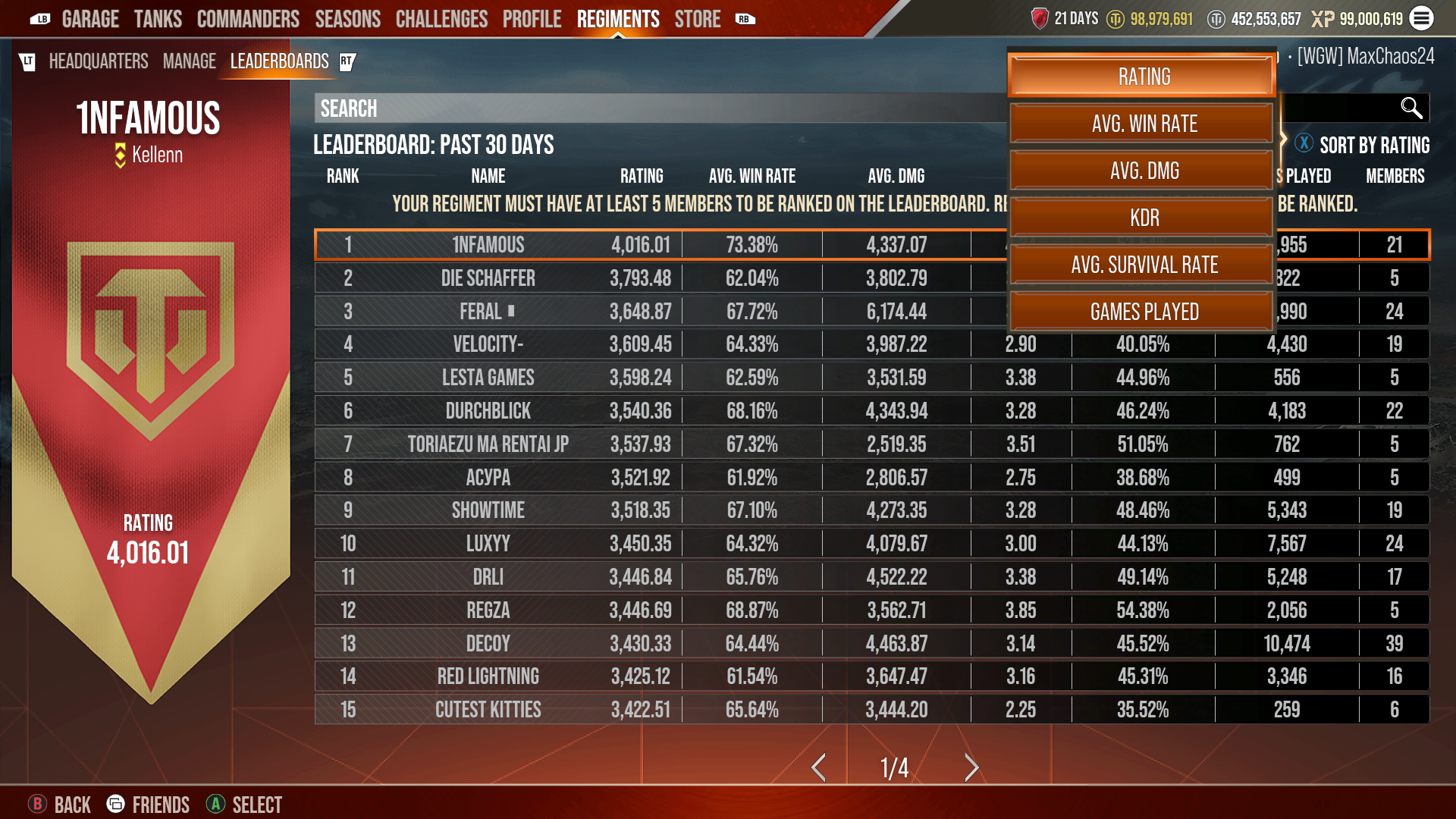
  • The Leaderboard is sorted by “Rating” by default.
  • Additional sort options are available:
    • Rating
    • Avg. Win Rate
    • Avg. Damage
    • Avg. Kill/Death Ratio
    • Avg. Survival Rate
    • Games Played
Regiments Leaderboard - Screenshot 1
Regiments Leaderboard - Screenshot 2
web animation

Regiment Coins

Another incredible benefit of being part of a Regiment, aside from the fellowship you can enjoy, is the ability to earn an exclusive currency: Regiment Coins.

Once you’re in a Regiment, you’ll see your Regiment Coin balance in the upper-right corner of your screen, below the line that displays your Premium Account days, Silver, and other game currencies. The balance you see is individually held. That means that the Regiment Coins on your display are all yours to spend!

You’ve got several ways to earn Regiment Coins. The most basic one? Playing battles! There are four standard goals that you can achieve through regular gameplay every time you battle. These are your base earnings. You can earn up to 40 Regiment Coins per battle for these actions.

  • Important note: Multiplayer or event battles only—Co-Op battles do not count!

Base Earnings:

  • Play a Battle: 10 Coins
  • Win a Battle: 10 Coins
  • Play a Platoon Battle with a Regiment Member: 10 Coins
  • Win a Platoon Battle with a Regiment Member: 10 Coins

If you have Premium Account active, it’s even better. Premium Account provides a 50% bonus to your base earnings! So if, for example, your base earnings from a battle are 40 Regiment Coins, you'll receive a total of 60 Regiment Coins with Premium Account:

  • Base Earnings: 40 Coins
  • Premium Account Bonus: 20 Coins

In addition to your base and Premium Account earnings, you can earn Regiment Coins by completing Daily Missions. Daily Missions are personal, so you must complete them yourself. You can complete each one only once per day. And unlike base earnings goals, Daily Missions CAN be completed in Co-Op as well as Multiplayer and special event battles!

Daily Missions can be found in your Regiment Headquarters Tab.

Regiments - Daily Missions for Coins

One very important note about Regiment Coins:

  • Regiment Coins are season specific. At the end of each season, your Regiment Coins will expire. Make sure to spend your Regiment Coins before the season's end!

Regiment Coins also cannot be gifted or transferred to other players.

Regiments Store

So, where do you go to spend those hard-earned Regiment Coins? To the store, of course!

Head to the in-game Store and look for the “Regiments” tab in the secondary menu. Here you’ll see all the Regiments-exclusive content available for the current season, including Camos, Emblems, and even Premium tanks.

The content in the Regiments Store changes each season, so if you see something you like, don’t hesitate to grab it!

Please note: Items from the Regiments Store cannot be gifted, returned, or refunded.

Regiments - Store

Post-Battle Results Screen

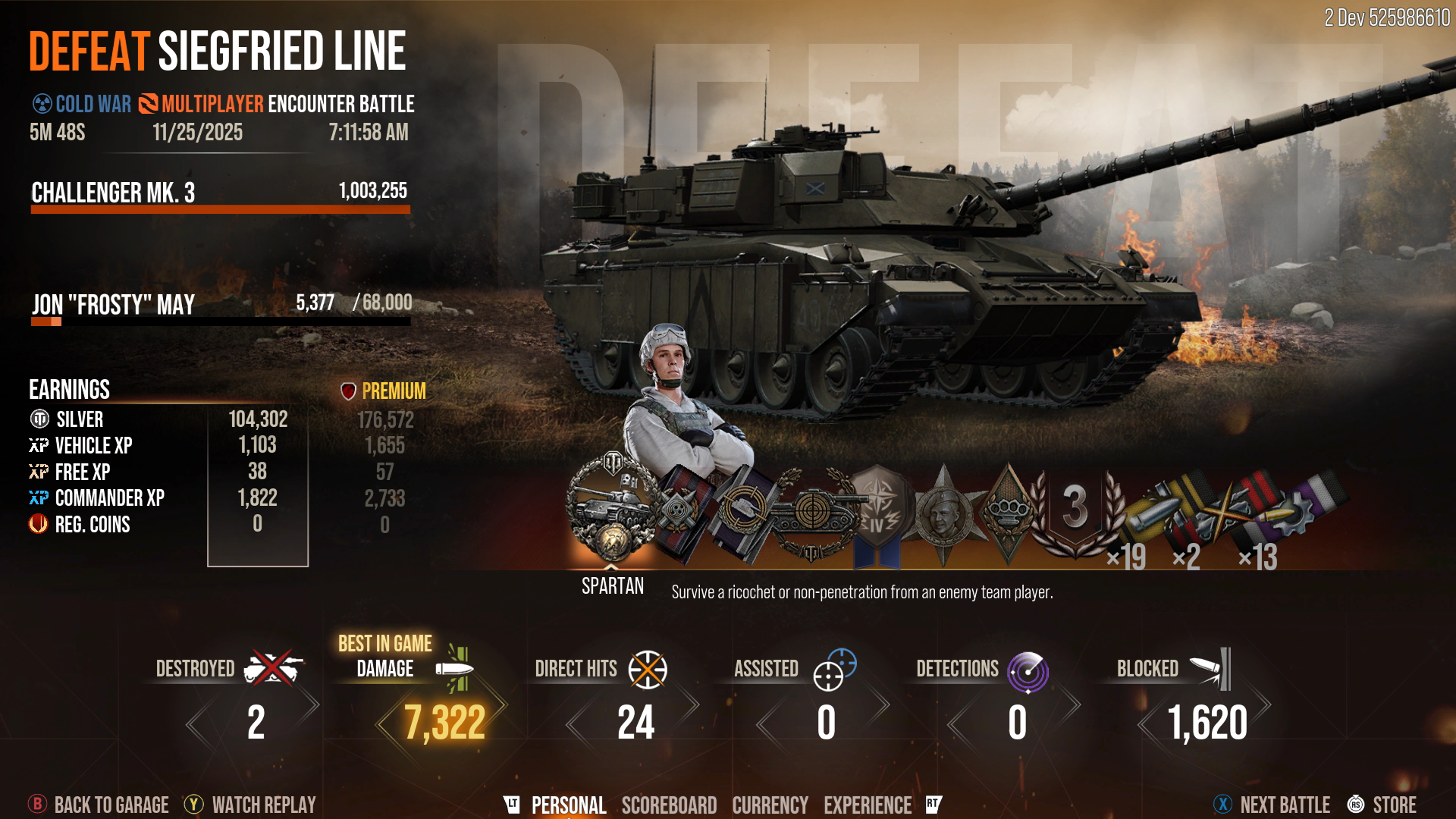
After each battle, the Post-Battle Results Screen (or PBRS) will show some key information related to your Regiment experience.

On the Personal tab, the Regiment Coins you’ve received will be shown in the “Earnings” section along with the Silver and various kinds of XP you’ve earned.

PBRS Updates - Screenshot 1

Additionally, if you visit the battle scoreboard while you’re looking at the PBRS (and you’re at the rank of Recruitment Officer or higher), you’ll be able to select players from the scoreboard and invite them to your Regiment. It’s a great chance to recruit the best of the best!

In battle, you may be able to succeed on your own, but success is even better with allies at your side. Join or start a Regiment and get ready to secure victory!